Factoring 202
What is Elementor?

Factoring 202

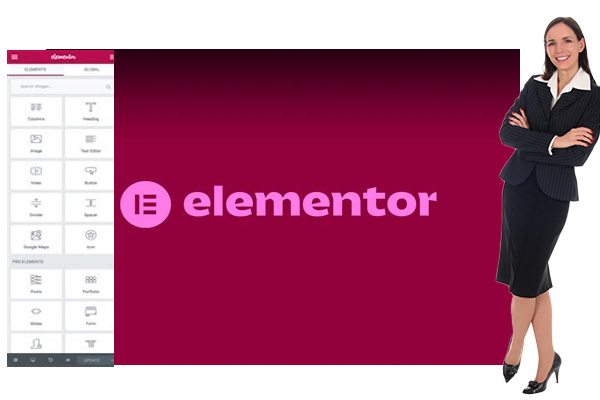
What is Elementor?
Elementor is a powerful “drag and drop” editor for WordPress, and all IACFB websites created for members feature the Elemntor plugin. With Elmentor, you have an absolutely new need to learn any code. With the Elementor plugin, you will find that it is very easy to add website features, new product pages, update text, and virtually anything you need to change as the site’s owner. Elementor makes your IACFB-provided website 100% yours, and with the combination of WordPress and Elementor, you will never need an expert website coder.
Introduction to Elementor
WordPress is one of the most popular content management systems (CMS) in the world, powering millions of websites across various industries. While WordPress offers a great deal of flexibility and customization options, creating a visually appealing and functional website can still be a challenge, especially for those without coding skills. This is where Elementor comes into play. Elementor is a powerful drag-and-drop page builder for WordPress that allows users to create stunning websites with ease. In this article, we’ll introduce you to Elementor, its key features, and why it’s a game-changer for WordPress users.
What is Elementor?
Elementor is a leading WordPress page builder plugin that enables users to design and build websites in real-time. Launched in 2016, Elementor has quickly grown to become one of the most popular page builders, with millions of active installations. Its intuitive drag-and-drop interface allows users to create professional-looking websites without needing to write a single line of code.
Key Features of Elementor
Drag-and-Drop Editor: Elementor’s visual editor allows you to drag and drop elements directly onto the page, making it incredibly easy to customize the layout and design. You can see changes in real-time, which speeds up the design process significantly.
Pre-Designed Templates: Elementor offers a vast library of pre-designed templates and blocks that you can use to jumpstart your design. These templates are fully customizable, allowing you to tweak them to match your brand’s aesthetics.
Responsive Design: With Elementor, you can ensure your website looks great on all devices. The responsive design controls allow you to adjust the layout for desktops, tablets, and mobile devices, ensuring a seamless user experience across all platforms.
Advanced Styling Options: Elementor provides extensive styling options, including typography, color schemes, background overlays, animations, and more. This gives you complete control over the appearance of your website.
Custom Widgets: Elementor comes with a wide range of custom widgets, such as image sliders, testimonials, forms, and social media icons. These widgets can be easily added to your pages, enhancing the functionality of your website.
Theme Builder: Elementor’s Theme Builder feature allows you to design your entire website, including the header, footer, archive pages, and single post templates, using the same drag-and-drop interface. This ensures design consistency across your site.
Pop-Up Builder: The Pop-Up Builder lets you create eye-catching pop-ups for lead generation, promotions, and more. You can design pop-ups using the same tools and widgets available in the page builder.
Third-Party Integrations: Elementor integrates seamlessly with popular WordPress plugins and third-party tools, including WooCommerce, Mailchimp, and Yoast SEO. This allows you to extend the functionality of your website without any hassle.
Why Choose Elementor?
User-Friendly: Elementor is designed to be easy to use, even for beginners. The intuitive interface and real-time editing capabilities make the web design process straightforward and enjoyable.
Design Freedom: With Elementor, you have complete control over the look and feel of your website. The extensive customization options ensure that your website can be as unique as your brand.
Cost-Effective: Elementor offers a free version with a robust set of features, making it accessible to those on a tight budget. For users needing more advanced features, Elementor Pro provides excellent value with its additional tools and functionalities.
Community Support: Elementor boasts a large and active community of users and developers. There are numerous tutorials, forums, and resources available to help you get the most out of the plugin.
Continuous Improvement: The team behind Elementor is committed to continuous improvement, regularly releasing updates and new features. This ensures that you have access to the latest web design tools and trends.
Getting Started with Elementor
To start using Elementor, you need to install and activate the plugin on your WordPress site. You can download Elementor from the WordPress plugin repository and install it like any other plugin. Once activated, you can begin creating new pages or editing existing ones using the Elementor editor. The drag-and-drop interface is intuitive, allowing you to easily add, arrange, and customize elements on your page.
Conclusion
Elementor is a powerful and versatile tool that empowers WordPress users to create beautiful, professional websites with ease. Its user-friendly interface, extensive customization options, and robust feature set make it an excellent choice for anyone looking to enhance their WordPress site. Whether you’re a beginner looking to create your first website or an experienced developer seeking to streamline your workflow, Elementor has the tools you need to succeed.