Factoring 202 Annex
Introduction to Microsoft Publisher

The Annex
Making Your Direct Marketing Templates with Publisher
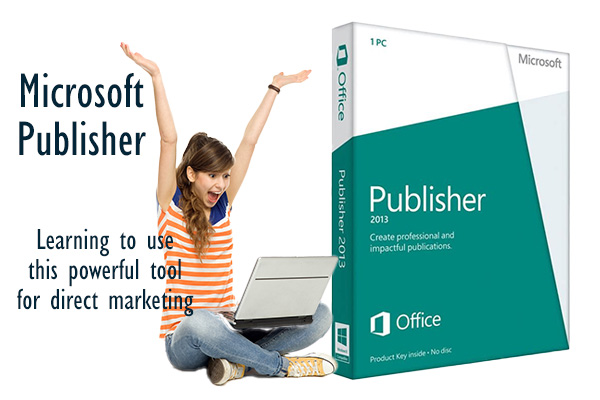
Microsoft Publisher is a versatile desktop publishing application that provides users with powerful tools to create professional-quality marketing materials with ease. Unlike traditional word processors, Publisher offers advanced layout and design features, allowing users to precisely control the placement of text, images, and other elements. Its user-friendly interface, similar to other Microsoft Office applications, makes it accessible for beginners while still offering robust functionality for more experienced users. Whether you’re creating brochures, flyers, newsletters, or postcards, Publisher simplifies the design process, enabling you to produce visually appealing documents quickly and efficiently.
Introduction to Microsoft Publsiher
When it comes to creating effective direct marketing materials, having the right tools can make all the difference. Microsoft Publisher is an excellent choice for many businesses and individuals, offering a balance of ease-of-use and powerful features that make it stand out from other software options like Adobe Illustrator and Microsoft Word. Whether you’re designing brochures, flyers, or other marketing materials, Publisher, especially when paired with StockLayouts, provides an accessible yet robust solution.
Ease of Learning Compared to Adobe Illustrator
One of the key advantages of Microsoft Publisher is its user-friendly interface, which makes it significantly easier to learn compared to Adobe Illustrator. Illustrator is a professional-grade tool designed for graphic designers and requires a steep learning curve to master its vast array of features. In contrast, Publisher is designed with the average user in mind, providing intuitive tools and templates that make it accessible even for beginners.
Publisher’s interface is similar to other Microsoft Office applications, so if you’re familiar with Word or PowerPoint, you’ll find navigating Publisher relatively straightforward. This familiarity allows users to quickly start creating professional-looking documents without needing extensive training or prior experience in graphic design.
More Powerful Than Microsoft Word
While Microsoft Word is a versatile word processing tool, it falls short when it comes to creating intricate design layouts and professional-quality marketing materials. Microsoft Publisher bridges this gap by offering more advanced layout and design features than Word, making it better suited for creating visually appealing documents.
Publisher includes a range of design tools that allow for precise placement and manipulation of text, images, and other elements. You can easily manage layers, align objects, and use guides to ensure everything is perfectly positioned. Additionally, Publisher offers a wider variety of templates and design options, enabling users to create complex, multi-page documents with ease.
The Perfect Application for Direct Marketing Materials
When it comes to creating direct marketing materials, Microsoft Publisher excels, especially when used in conjunction with StockLayouts. StockLayouts provides professionally designed templates for a wide range of marketing materials, including brochures, flyers, postcards, and more. These templates are fully customizable within Publisher, allowing you to tailor them to your specific needs while maintaining a polished, professional appearance.
Brochures: Publisher’s template library, enhanced with StockLayouts, makes it simple to create eye-catching brochures. The easy-to-use tools allow you to adjust text, images, and layout to perfectly match your brand and message.
Flyers: With Publisher, designing flyers is straightforward. The software offers various flyer templates that can be customized to include your logos, colors, and unique selling points. Publisher’s design capabilities ensure your flyers stand out and effectively capture your audience’s attention.
Postcards: Direct mail campaigns benefit greatly from well-designed postcards. Publisher provides the tools to create personalized and visually appealing postcards that can make a significant impact on your marketing efforts.
Key Features
- Templates: Access a wide range of customizable templates for various marketing materials.
- Design Tools: Utilize advanced design tools for precise layout adjustments, including text wrapping, image editing, and object alignment.
- Integration: Seamlessly integrate with other Microsoft Office applications, making it easy to incorporate data from Excel or text from Word.
- Print and Export: Easily prepare documents for professional printing or export them as high-quality PDFs for digital distribution.
Microsoft Publisher stands out as an ideal tool for creating direct marketing materials. It strikes a perfect balance between ease of use and advanced features, making it more accessible than Adobe Illustrator while offering more powerful design capabilities than Microsoft Word. When combined with the professionally designed templates from StockLayouts, Publisher provides a comprehensive solution for producing high-quality brochures, flyers, and other marketing documents that effectively convey your brand and message. Whether you’re a seasoned designer or a marketing novice, Microsoft Publisher equips you with the tools needed to create compelling and professional marketing materials with ease.
Related
Magazine
Articles
- Lorem ipsum dolor sit amet, consectetur adipiscing elit. Ut elit tellus, luctus nec ullamcorper mattis, pulvinar dapibus leo.