Daily Business Development
Productivity Tools You Will Need as a Broker or Consultant

Lesson Video
Broker and Consultant
Productivity Tools
Learning all of the features of the Directory of American Factors and Lenders is important for all types of brokers, consultants, and even referrers as well. The directories function as a database of not only factors but also all types of common lenders used by professional freelance consultants.
The searchable feature of the directories allows you to locate a specific type of lender that prefers certain industries and specific sizes of deals. This means you should always be able to locate a ready financing source for financing your prospects and clients every time.

Essential Marketing and Office Tools for Consultants
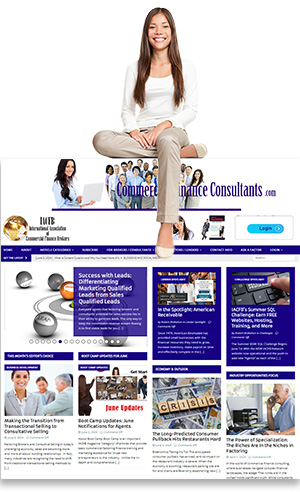
Starting out as a factoring consultant can be a rewarding and highly profitable home-based career. As a business-to-business (B2B) consultant, your job is to help small and medium-sized enterprises solve cash flow problems through factoring and related financial services. But just like any other professional consulting business, success hinges not only on knowledge and relationships but also on having the right tools in your marketing and operational toolkit.
Here’s a comprehensive look at what you’ll need.
A Professional Website with Blog Functionality
Your website is your online headquarters. It’s the first place your prospects will go to learn more about you. This is your brand’s face to the world and one of your most powerful marketing assets.
Your website should include:
A clean, modern homepage that explains your services.
A dedicated blog to post educational content that builds trust and authority.
An “About Me” or “Meet Your Broker” page that establishes your credibility.
A Contact Form with call-to-action (CTA) features.
A secure invitation page for directing prospects from direct mail and LinkedIn outreach.
Bonus: If you’re using a PAL Broker Website Template (as provided through IACFB), you’ll have built-in access to an Invitation Page, integrated CRM options, and blog capability from Day 1.
CRM (Customer Relationship Management Software)
A CRM is not optional—it’s critical for managing leads, referral partners, follow-up emails, marketing campaigns, and phone calls. Your business will live and die by your ability to manage your pipeline.
Features to look for:
Lead capture from your website and LinkedIn
Tagging and segmenting prospects
Email sequencing and drip campaigns
Task reminders and follow-up scheduling
Pipeline and stage tracking
Integration with your email and phone systems
Recommended CRM: Pipedrive (favored by IACFB brokers for its affordability and features)
Laptop or Desktop Computer
Since you’ll be surfing UCC databases, preparing proposals, building prospect lists, and hosting Zoom presentations, you need something better than just a basic setup.
Recommendations:
A high-performance laptop with a minimum of 16GB RAM and a fast processor (Intel i7 or AMD Ryzen 7+)
If using a desktop, choose something with upgrade options and fast SSD storage
Dual Monitors or a Large Monitor Setup
Working from a single laptop screen limits productivity. With multiple applications running—CRM, spreadsheet, website, email—you’ll want more screen real estate.
Recommended Setup:
Dual 24″ or 27″ monitors for optimal multitasking
Optional: Ultrawide curved monitor (great for side-by-side windows)
High-Speed Internet Connection
This is a non-negotiable. From Zoom meetings to accessing UCC data to uploading blog posts and video content, your business relies on bandwidth.
Minimum: 100 Mbps download / 20 Mbps upload
Recommended: 300+ Mbps for households with multiple users
VOIP Phone System
You’ll be making and receiving many business calls, often from your CRM. A VOIP system lets you handle calls from your desktop or mobile and ensures professional voicemail, call recording, and routing.
Recommended Services: Ooma, RingCentral, Grasshopper
Business Email Address and Signature
Use an email tied to your domain (e.g., you@yourbrokerage.com). It instantly elevates your credibility over free Gmail or Yahoo addresses.
Also include:
A professional email signature with logo, title, phone number, and website link
Scheduling link (e.g., Calendly) for booking consultations
Document and Proposal Templates
You’ll regularly prepare:
Broker agreements
Submission summaries
Client proposals
Referral partner cover letters
Tool suggestions:
Microsoft Office or Google Workspace for documents and spreadsheets
Adobe Acrobat Pro or PDF-XChange for working with fillable PDFs
Printer/Scanner Combo
Many factoring deals still involve paper documents. A reliable multi-function printer that scans to PDF is a home office staple.
Suggested Features:
Wireless printing
Double-sided printing/scanning
Scan to email or cloud (Google Drive, Dropbox)
Online Tools and Subscriptions
These tools will support your marketing, research, and education efforts:
Canva: For flyers, social media graphics, brochures
Mailchimp or MailerLite: Email list-building and campaigns
LinkedIn Premium: Prospecting and messaging
UCC Search Portals: Many states have their own, and commercial tools exist for bulk access
Zoom: Virtual meetings and presentations
Business Cards and Print Marketing
Always carry professional business cards, especially when attending Chamber of Commerce meetings or networking events.
Additionally, prepare:
3-panel brochures
Direct mail postcards
Door hangers and leave-behinds
Most of these can be downloaded as templates from your IACFB Membership and customized with your brand.
Comfortable, Dedicated Workspace
Finally, your environment matters. Treat your consulting business like the professional operation it is.
Invest in:
Ergonomic chair and desk
Good lighting
Quiet surroundings (or noise-cancelling headphones)
Conclusion: Equip Like a Pro
Factoring consultants may operate from home, but they are every bit as professional as corporate finance executives. With the right mix of technology, marketing tools, and office setup, you can compete at a high level, attract quality clients, and scale your consulting business faster than you ever imagined.
Start with a website and CRM, then build out your office infrastructure to support your business growth.
Want a checklist version of these tools or a startup budget guide? Just ask—I can put one together for you!